
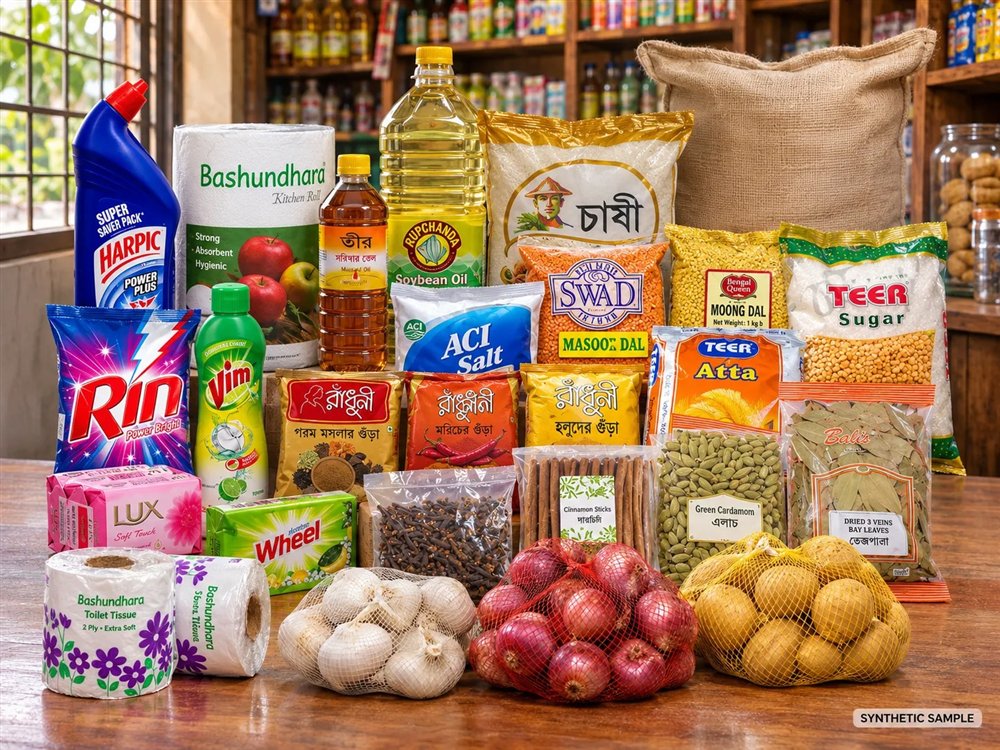
Accounts, stock and an online store, all in one app

Run your business
without the notebook hassle!

Keep track of sales, baki, stock and profit in one app. Retail, wholesale or both, it all sits together. You can open your own online store too.

Everything in one app

  • Works on phone, tablet and laptop
  • No commission on your sales

What you can do

Everything your business needs, in one app

Sales, baki, stock and online orders: keep the daily jobs tidy.

After a long day in the shop, matching the cash and the baki takes half the night, and the numbers still don't add up!

Today's sales, cash in hand, baki, stock and profit, all in one place

  • Cash sales, expenses and the cash box are always in front of you
  • See who owes you and which products are running low, right away
  • See your real profit every day, so you know what to buy more of and where to cut costs

I can't remember who owes me what, and I feel awkward asking.

Keep track of who owes you what, and remind them with an SMS whenever you like

  • Every customer's baki is kept separately and neatly
  • When money comes in, enter it straight away and the baki updates by itself
  • The app writes a polite SMS with the amount for you, and you can also send the full baki statement to the customer on WhatsApp

I want to run my business on an app, but who has time to enter hundreds of products one by one?

No more adding products one at a time: take a photo and add them all in a moment

  • Take a photo of your products and the app reads the names and details and puts them in your list
  • No typing every product name. One photo can add many products at once
  • Setting up a whole shop takes a few minutes, not days or weeks

At rush hour I can't enter items one by one, but I don't want to buy an expensive machine like a supershop either.

Sell as fast as a supershop with no machine to buy, just our app

  • The app lays out the barcodes for all your products on a page or two. Print it and keep it at the counter, nothing to stick on the products
  • Point your phone's camera and the product goes straight on the bill, with the price and total worked out
  • Give the customer a receipt if they want one

One customer takes a piece, another a dozen, another a kilo or a sack. I mix up the prices and the stock.

Sell by the piece, dozen, kilo or litre, at the price you set, and ongsi keeps the stock right

  • Sell the same product in any unit at its own price: piece, dozen, kilo, sack, even a unit you make up yourself
  • Set a lower price or a wholesale rate for bigger quantities
  • Sell by the dozen or by the piece and the stock stays correct. No separate sums

I sell in my shop. How do I start selling online as well?

Your online store is ready the moment you open an account, so you can reach customers across the country, not just your area

  • Open an account and you get a store link and a QR code to share on Facebook or anywhere else
  • Customers browse your products at home and place their own orders
  • Take payment by bKash, Nagad or bank. No commission, and the money goes straight to your account
  • Book a courier from the app (Steadfast, Pathao, RedX) and your customer can see where the parcel is

Opening the courier's app, booking there, then copying the code back into the order. Every single day!

Book the courier right from the order. The code fills in by itself, and both you and your customer see where the parcel is

  • Connect whichever you have an account with: Steadfast, Pathao or RedX
  • Tap "Send by courier" on the order. The app fills in the name, phone, address and how much to collect
  • The tracking code is added to the order for you, no copy and paste
  • Your customer sees where the parcel is on their own order, so they don't keep phoning to ask

I keep opening the app to check for new orders. And customers phone to ask what happened to theirs!

You get an SMS when an order arrives, and your customer gets SMS updates too

  • A new order sends an SMS to your phone, so you know without opening the app
  • You choose when the customer gets an SMS: when the order is received, confirmed, handed to the courier or delivered
  • When it goes to the courier, the courier's name and tracking ID are in the SMS, so you don't have to phone the customer
  • You decide which SMS go out, and you can see a sample of each one in settings

One product comes in many colours, sizes and models. Can the app keep the stock of each one separate?

However many versions a product has, you just sell. ongsi looks after the stock

  • All the sizes, colours and models sit inside one product, so there's nothing to hunt for
  • See at a glance how many of each size and colour you have and which is sold out
  • When you sell one, only that size and colour goes down
  • Customers pick their size and colour in your online store, with the right price and stock

Typing everything in takes ages, and it's a hassle!

No typing. Say it in Bangla and it's written for you

  • Say the details in your everyday Bangla
  • ongsi understands and fills in the form for you
  • You just check it once and save

Sitting down to match the books at month-end takes forever. What a hassle!

Any day, month or period, your report is ready in seconds

  • Every day's sales, purchases and expenses are already in the app, so there are no sums to do
  • Pick a day, a month or your own dates and the report is ready in seconds
  • Reports for sales, purchases, expenses, profit and loss, baki, stock and more
  • Download as PDF or Excel to keep, or to give to a customer or supplier

And more

  • The app warns you before a product runs out
  • Keep track of what you owe your suppliers
  • Record your expenses separately
  • See at a glance how much money came in today, with sales money and baki money kept apart
  • Book many orders at once with Steadfast, and re-book a cancelled parcel
  • Install the app on your phone, or just use it in the browser
  • Log in to one account on your phone, tablet or laptop and see the same records everywhere
  • Print a customer's card to hand over

See all features →

Easy to start

Start in three steps

1
Open an account

Sign up with your mobile number and your business name.

2
Add your products

Name, price and how many you have. Add a photo and it shows in your online store too.

3
Start selling

You just sell. ongsi takes care of the stock and the records.

Special offer

Keep your business accounts free for the rest of 2026!

For a limited number of new businesses, you can use all of ongsi's main features. Start today, with no monthly subscription fee.

FAQ

Common questions

What kind of business can use it?

Retail, wholesale or both. For example grocery, clothing, cosmetics, mobile and electronics, pharmacy, hardware, books and stationery. If you sell on Facebook or online, you can use it too.

How much does it cost?

If you join now, it is completely free until 31 December 2026. After that it is 150 taka a month in 2027. There is no commission on your sales and no setup fee.

Can I book a courier from the app?

Yes. Connect your own Steadfast, Pathao or RedX account, then book a parcel from the order. The tracking code is saved on the order automatically, and your customer can see where the parcel is. There is no extra ongsi fee.

Will it work on my phone? Do I have to install anything?

Yes, it works on a phone. You do not have to install anything: just open ongsi.com in your phone's browser. If you like, you can also install it as an app. It works on a tablet or laptop too, with the same account.

Do I have to enter all my old records first?

No. Just enter the products you have now, with their price and how many you have. You do not have to do it all in one day: start with the products you sell most. If it feels like too much, we will set it up for you for free.

Do I have to add every product one by one? Can I add many at once?

No. You can add many products at once from a photo. If you have a list of your products (handwritten, a chalan or a memo), upload a photo of it and the app adds them all in a moment. A photo of the products themselves works too, even with many products in one picture. You can check everything before you save.

Can anyone else see my business records?

No. Only you can see your sales, profit, baki and expenses. Customers only see the selling price of the products you choose to show.

If I change my phone, do I keep my records?

Yes. Your records are saved on ongsi's server, not on your phone. Log in with your number on a new phone or computer and everything is there.

More questions and answers →

Learn more about running your business accounts

All guides →

Contact

Stuck? We are here to help

From adding your first product to opening your online store, ask us on the phone or WhatsApp.

Are you a buyer? Find products on ongsi stores, then contact the seller directly.
Find stores and products

Start keeping your records today

Free for the rest of 2026 for a limited number of businesses. Try it out.

An unhandled error has occurred. Reload

Reconnecting...

Could not connect. Trying again in seconds.

The connection did not come back.
Try again or refresh the page.

The connection is paused.

The connection could not be restarted.
Try again or refresh the page.